The Technical Gap: Why Small Businesses Need Your Hosting Management
Just as everyone wants to earn passive income, similarly, today every business wants to go online. But whenever a business wants to go online, the biggest problem is the technical problem that they don’t know how to purchase hosting, set up the website, and how to maintain that website in the future. And the interesting bit is that you can sell hosting to them according to your preference and you can also charge them monthly to maintain their website.
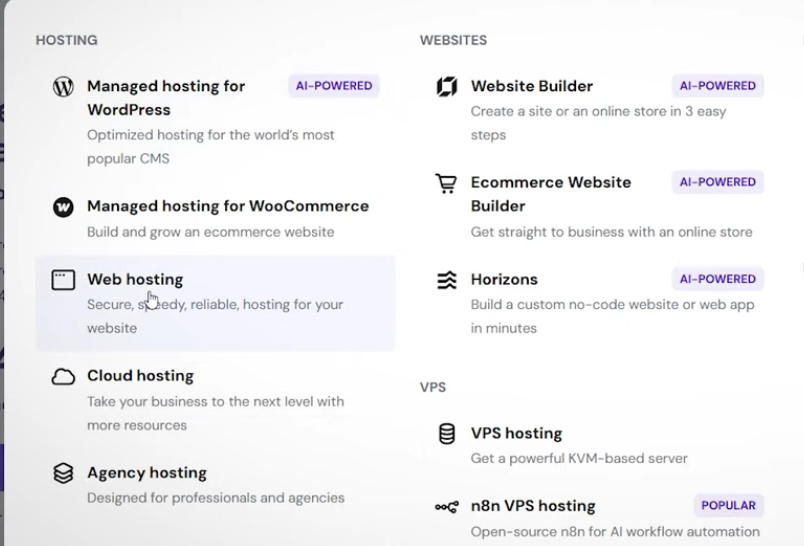
But you will say, “Brother, tell us that we don’t have any hosting product, how to sell it to more than one client and finally how to earn money by selling it?”. You might start earning a minimum of ₹50,000 every month. For example, here I have opened the pages of three hosting companies; one is Hostinger.
The Agency Hosting Plan: One Server, 100 Websites, Unlimited Potential
The reason is that all my websites are hosted on it. Here we have talked every time that we think about managing one website in a shared web hosting plan, but right here, a plan of theirs comes called the Agency Hosting Plan.
This is that particular plan under which a particular server is allocated in your name, which has 6 CPUs, 12GB RAM, and a 300GB hard disk. In a way, an entire system is allocated in your name, and if you want, you can make separate pieces of it or you can make up to 100 websites within this particular thing. So if these 100 are your clients, you can charge all those clients on a monthly basis, whatever your charging may be.
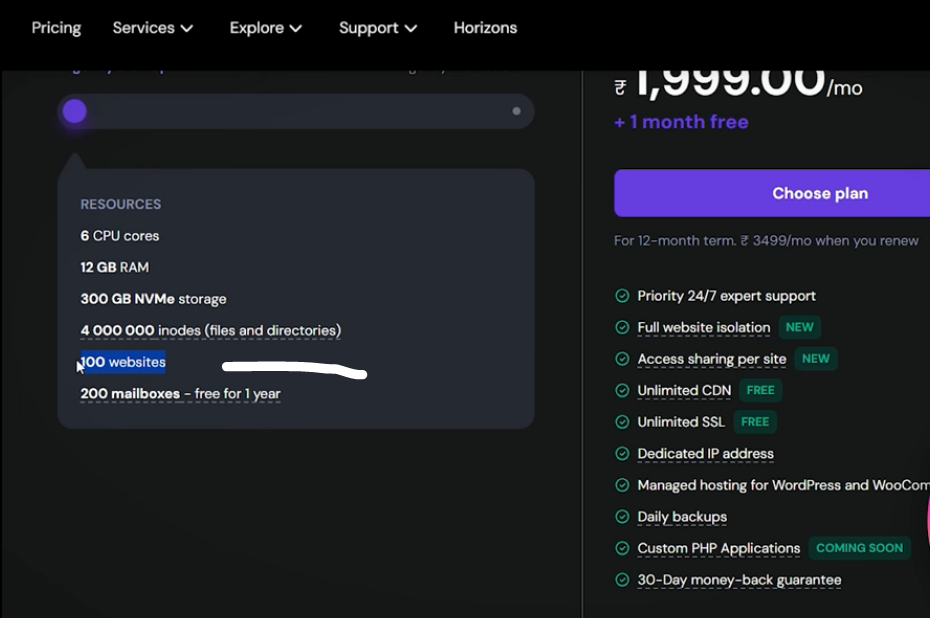
All this maintenance and management process will be given here in the Hostinger dashboard. But there is one caveat in this, and that is that wherever your client logs in, they will log into Hostinger. So ultimately, you are reselling, but you are doing it under the banner of Hostinger.
Branding Your Business: Agency Plan vs. Private Label Reseller Hosting
They get 24/7 customer support, unlimited SSL, and a proper dedicated IP; so all these things will be available to each customer. But in this case, there will be brand promotion of Hostinger and not your own branding. This is one way, and the second way is reselling, where you take a whole product from them and say that from now on I will sell to my clients under my own name where you will have nothing to do with it; so that is called Reseller Hosting.
Within that, there are many products in the market like GoDaddy’s reseller hosting. Here you give them ₹10,000 a year and you can manage 25 clients here, and its purpose will be that you will be given 25 separate dashboards and you can give those dashboards to the clients. So it will be visible to the client that Mr. Vyas has sold us hosting and not GoDaddy, which will be GoDaddy at the backend. But in this case, the problem will be that if the client ever has performance issues, you yourself will be reliant on GoDaddy. So you will definitely face some problems in giving direct customer support.
Crunching the Numbers: How to Earn ₹10,000+ Monthly with Just 5 Clients
And obviously, if you charge someone, ultimately you have to give them better service too. So this is the second way where you can resell under private labeling, your label, your name. But I will suggest this method only if you actually want to build a hosting selling business, a hosting resale marketing business; then this system is reliable.
But that is why the best and effective solution with minimum risk and better return is if you purchase a plan of this type where you are telling them upfront that whatever hosting product and whatever enhancement, whatever innovation is being done, you will get the benefit of all of it. I will give you complete hosting service and along with that I will maintain your site.
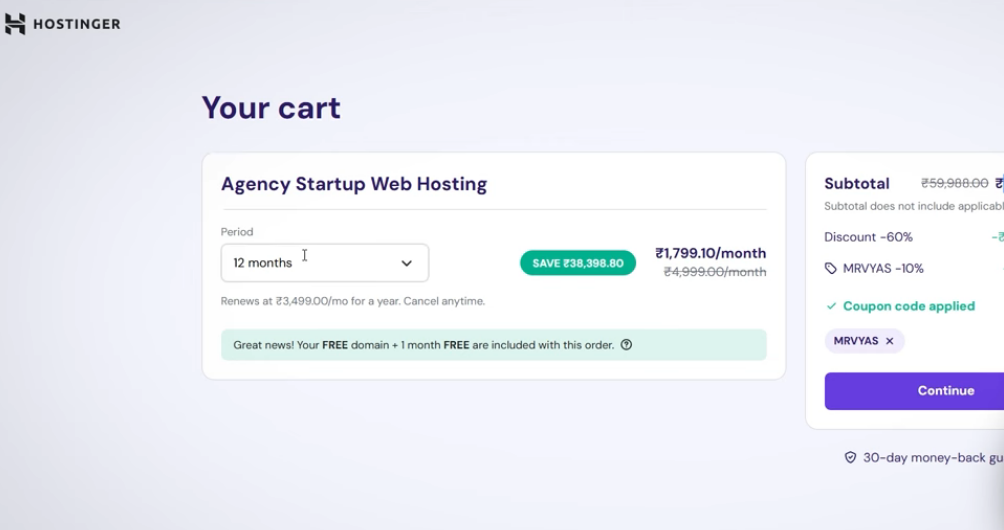
I will charge you 2 to 3 thousand rupees a month. Suppose you are charging 3,000 rupees from one client, and if you go to the “choose plan” section here and if you purchase a plan for a minimum of 12 months, let’s see what its costing comes to. So you can calculate mathematically yourself.
I take a 12-month plan. You can host up to 100 websites for 12 months for around ₹21,000-22,000. So it comes to ₹1,700 to ₹1,800 a month. Even if you manage at least five clients every month I don’t say many you manage five clients and charge ₹3,000 from each, then it makes ₹15,000 every month. And in that, if you take out your maintenance cost of ₹3,000, your hosting cost of ₹3,000, even then ₹10,000 of yours will be saved every month. And I am saying here you can host up to 100 websites.
Now you will ask who are the people who will purchase this type of hosting from you and give their site? People around you, small-scale websites who want to make portfolio websites, who want to make e-commerce websites; you can reach out to them. You can tell them that I will manage your website, hosting, domain.
Step-by-Step Execution: Adding Clients and Launching WordPress in Seconds
There is no need to take any hassle; everything will be given to you from my side. You just have to charge ₹3,000 a month and these seem like very big technical things to them, so they also pay easily. So for now, I quickly purchase this particular account or this particular hosting and meet you in the backend. Okay, so here you can see I just now purchased the Agency Startup plan and here I am getting the option “Add Website”.
Hostinger has different servers across the world: India, Germany, Japan, US, Europe.
In your case, when you purchase it for the first time, there might be a setting option here, so you simply have to select a server which server you want to select because you are buying a server here, so Hostinger has different servers across the world: India, Germany, Japan, US, Europe. So you choose any one server, it won’t make much difference. I chose the India server and after that directly you will see the website list option here in the dashboard. So my Agency Startup plan is visible here; as I said, many of my websites are hosted on Hostinger.
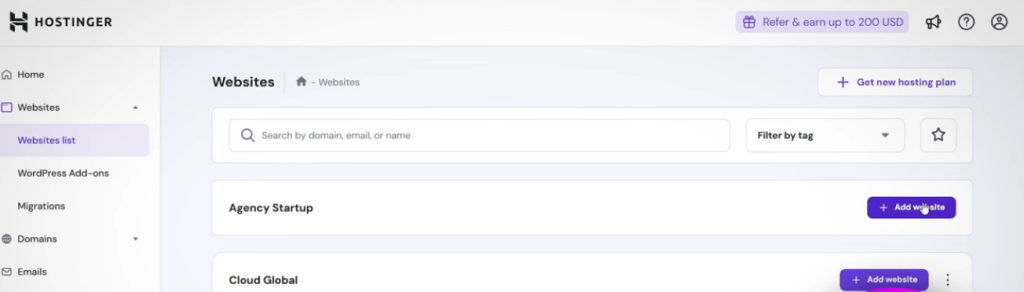
I have their cloud plan; so you can see here everything is hosted here. But as soon as I come here and suppose you get the first client and they say that you give me hosting and manage an entire site on it and give me access to that site too, then how will that be managed? How will you run the entire agency? For that, you have to go to “Add Website” and as I said, all the methods Hostinger provides to its customers to design different sites whether it’s a WordPress website, any web app, or any PHP website you are getting all those options.
So I would normally recommend the WordPress website to your client and here you can see, take your client’s email ID and you can give their username here, give the password, so they can directly log in to the website. But I will also tell you an easier way for that. Then you have to go to next. As you go to next, an option will come as to what brand name your client wants to keep.
As you know, whenever a website is made, it has a domain name, so you can charge its costing separately to the client or you can include it in your monthly costing. Tell them that for ₹3,000 per month, they will also get a domain and one year of hosting. You can easily calculate how much your expense is. So your brand said that I want a domain like “test123” and anything like that, my brand name is this; you select and you will see this.
design your client’s WordPress website in your agency plan.
So for now what I do is, I don’t choose any brand name; I say that Hostinger, you take some dummy domain for now. But you can choose here. Now it will design your client’s WordPress website in your agency plan. This will hardly take 30 seconds to 1 minute of your time and the complete WordPress website will be ready in front of you. So finally you can see the site is completely ready here, a dashboard backend is ready, the site is completely safe.
How To Manage Hostings
An SSL certificate is installed on it, which means that if you see https in any site, which makes the site secured, which is available unlimited for every website. It has the latest version of WordPress and the latest version of PHP. And if you want to see what kind of website your client has made, you can enable it and click here, then you will see your site, whatever domain name you have chosen. And this is a dummy website for now. And to go to the backend of the client’s website, you can click on WordPress Admin and ultimately you can go into that client’s website backend the WordPress backend and design the website as you want to.
Whether you want to make a portfolio site or you want to make some kind of e-commerce website, you can fully customize that site here. Now you being the agency person, ultimately if you come here to the home page and here you have to go inside the website section, then you will see that inside Agency Startup, this website is already existing, which we just now made for the client.
“Add Website,” again select WordPress
So finally you can see here in Agency Startup there is already a website of one of our clients. Now suppose that your second client comes, in that case, again you have to click on “Add Website,” again select WordPress for them, whatever their credentials will be. Like this time my client is this one, so I will use their email ID and whatever password I want to use, and then I will go to next. Then whatever their domain will be, whatever you are buying, whatever you are doing, you can search here.
For now, I will select a temporary one for them too and then for them also it will prepare the entire WordPress website here for you in a fraction of seconds. You don’t need to do anything after this. Yes, you definitely have to do customization, but your client’s setup is done and your monthly earnings have started. So here you can see the setup of your second client is also done. Interesting bit, if you go and see here, if you refresh this page, then for every website in that particular plan, a separate, kind of isolated dashboard is created.
Smart Management: Using the Collaborator Feature to Give Clients Access Without Risk
How many people are visiting this client’s website, who they are, or how many times and how many resources this particular website is using. Inside this website, if you want to see files which files are lying in its backend if you want to customize it, they will get complete hPanel access. How much RAM and how many Inodes this particular website is using some websites are heavy, so you can find out from here that “Oh man, this client is draining too many resources,” so you can upgrade the plan.
So ultimately you have complete dashboard control. You can see and here in plan details you will be able to see which hosting plan you have. So you will get this entire control. Similarly, if you want to see for the second client, then again select the domain name of the second client, then there is a dedicated dashboard for that too from where you can see.
person could log in to the site and access only WordPress.
Similarly, if you go to the main menu, again go to the website list, then you will see that both clients exist here in your agency plan. Brother, this is how you set up the client; its entire control is with you. Now to give the control of this website to your client previously what we used to do was that we would open this site, go into WordPress, make a user here, then give them the credentials, and then that person could log in to the site and access only WordPress.
good feature of it that in Agency Startup there is a feature by the name of Collaborator.
But they wouldn’t be able to access this backend, the hosting dashboard. And mostly for clients who demand this kind of thing, what we do is give them the hosting ID and password too, saying “Brother, you take it and you see,” and whenever you have to maintain it, come back so this becomes a tedious job and we are running an agency here. So in that case what you can do is, this is a good feature of it that in Agency Startup there is a feature by the name of Collaborator.
So you click here, whatever your client’s email ID is like for example I put vyaskeerti2012 here and suppose that this is my client’s ID; I will select it and click on “Send Invite”. As soon as you click on invite, your client will get an email like this in their mailbox saying that “Brother, you have received an invitation, accept this invitation”.
So as soon as they accept it, they simply have to make an account on Hostinger. As I said, white labeling is not happening here; they will see that the whole setup is done on Hostinger. But what do they care? If they take a plan from normal Hostinger, they will have to give 23,000 a year.
After that, no one will do maintenance. You are giving them everything for 3,000. So ultimately it is on the choice of the client and customer. But they will log in here or go to the website and they will see their site there. And they will be able to see everything that happens in the hosting panel backend by going into the dashboard just like you.
What is happening on the site, and if they feel that they want to see their website, they can see it from here. Similarly, if they feel that they want to connect to the backend dashboard of hosting, meaning WordPress, coming back here they will click on the admin panel, then from there your client can also go to that website and see it just like you.
Remember, they can only maintain the site, but whatever they do, they cannot delete the site. The complete access to delete is with you. Yes, they can make all the changes in the site; they have full control, can customize the site. So ultimately if you just want to sell hosting, even then it is the best solution.
Hostinger charges them 3,000 a year; you say that “Brother, you give me ₹2,500”.
Even though it is under Hostinger, Hostinger charges them 3,000 a year; you say that “Brother, you give me ₹2,500”. You can host more than 100 websites, so it’s more than enough; you can make money according to yourself. Your goal is to cover the expense of 20,000 and make profit from all the rest. So in some way, this approach has less liability for you because you are not directly selling hosting under your brand and banner.
Because when you sell under a brand, you have to take care of many things like your brand’s reputation, customer support service, and you have to give service in every way. But in this case, you have to give minimum service and you will have maximum advantage. And if the customer has any query, there are chatting options here; they can talk to Hostinger directly just like you and solve their problem from there. You don’t need to give additional support. Tell me which approach you want to use and let me know what kind of reseller hosting is recommended for you.
Read More: SEO Fundamentals: Build a Strong Foundation for Top Rankings & Website Traffic